
Sinclair ZX81
After upgrading from the ZX80, the Sinclair ZX81 became my gateway into home computing. With its improved display, famous 16K RAM Pack and cassette-loaded software, it offered a far better experience—along with plenty of frustration when programs refused to load.

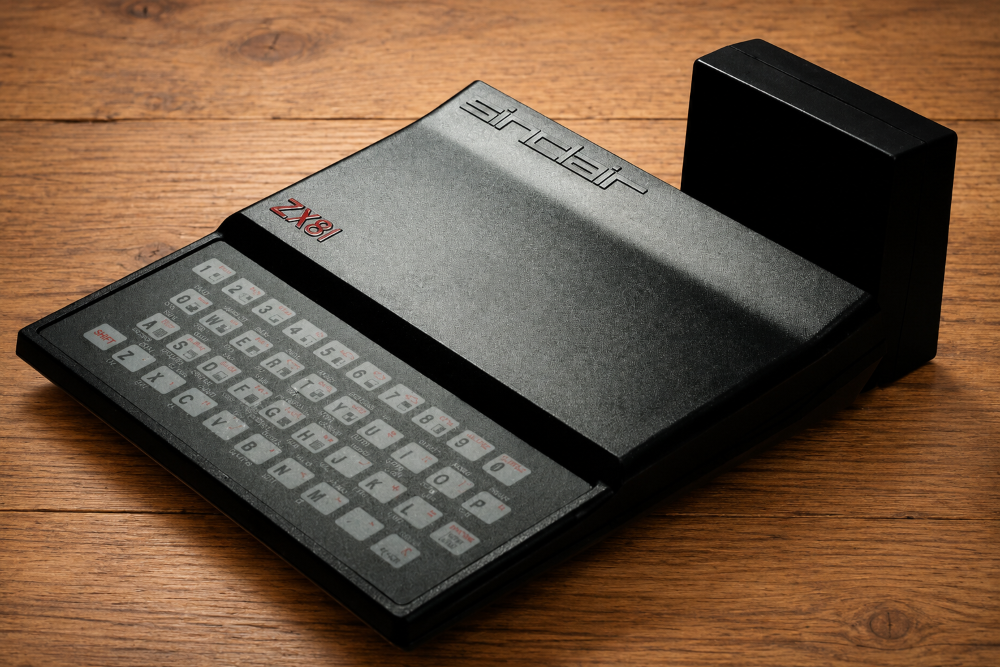
By early 1981, my Sinclair ZX80 had largely been abandoned. Although I had enjoyed experimenting with it, its limitations eventually became too frustrating. The constantly flickering display made typing difficult, memory was extremely limited, and it felt more like a fascinating gadget than a truly useful home computer.
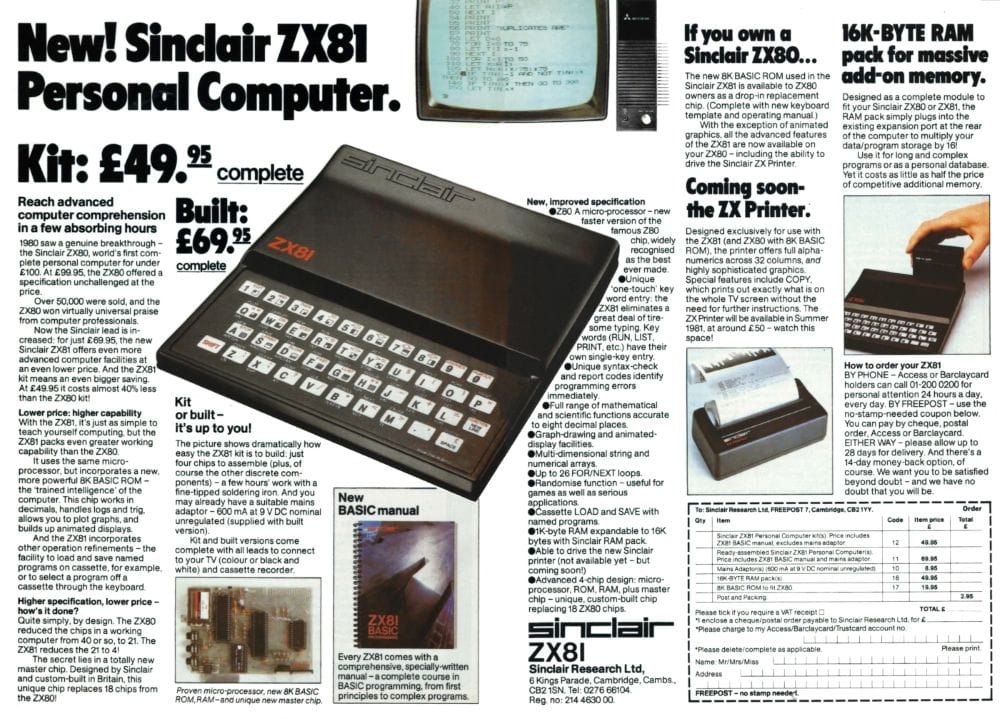
Then, in March 1981, I started seeing advertisements and magazine articles for its successor, the Sinclair ZX81. Sinclair promised a faster, more capable machine with an improved display and a lower price than many competing home computers. Better still, there was now a 16K memory expansion pack available, along with an optional printer.
I was intrigued immediately.
The adverts made bold claims. Sinclair described the ZX81 as a complete personal computer for under £70, capable of running serious programs, learning programming, and even managing household finances. In an age when most home computers cost several hundred pounds, it seemed almost unbelievable.
Having already owned the ZX80, I didn't need much convincing. The first chance I got, I ordered one.
The Successor to the ZX80
The Sinclair ZX81 was launched in March 1981 and quickly became one of the most successful British home computers ever produced. Like the ZX80 before it, it used a Z80-compatible processor and came with Sinclair BASIC built into ROM, but it introduced several important improvements.
The machine contained:
- Z80A compatible processor running at 3.25 MHz
- 1 KB of RAM as standard
- 8 KB Sinclair BASIC ROM
- Black and white display output to a television
- Cassette interface for saving and loading programs
- Expansion port for memory upgrades and peripherals
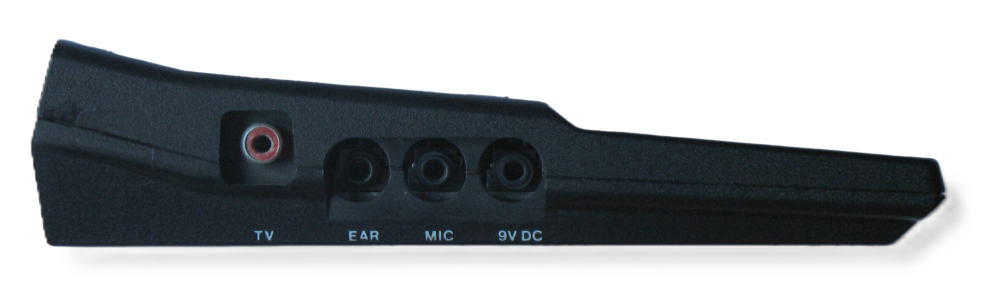
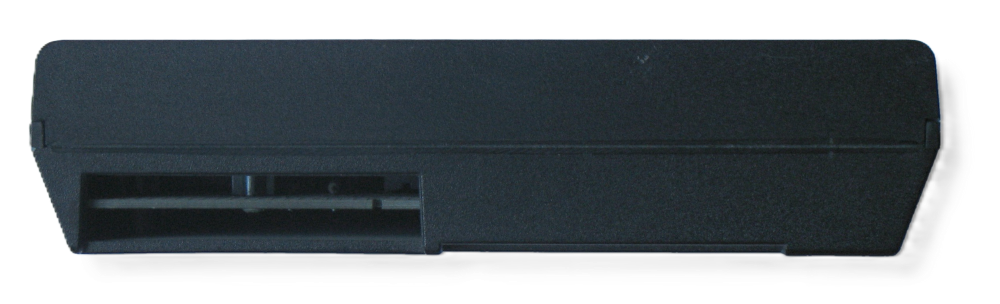
Most importantly for everyday use, Sinclair had redesigned the video system. The ZX81 no longer flickered constantly while waiting for keyboard input, making it far more pleasant to use than the ZX80.
Although the specifications seem tiny today, in 1981 this was an affordable way for ordinary people to learn computing and programming at home.
Opening the Box
The ZX81 arrived packaged in a distinctive black polystyrene presentation box with a printed slip cover. Compared with the ZX80, it looked surprisingly professional.
Inside the box was:
- The Sinclair ZX81 computer
- A mains power supply
- Television connection leads
- Cassette connection leads
- The updated Sinclair BASIC Programming manual
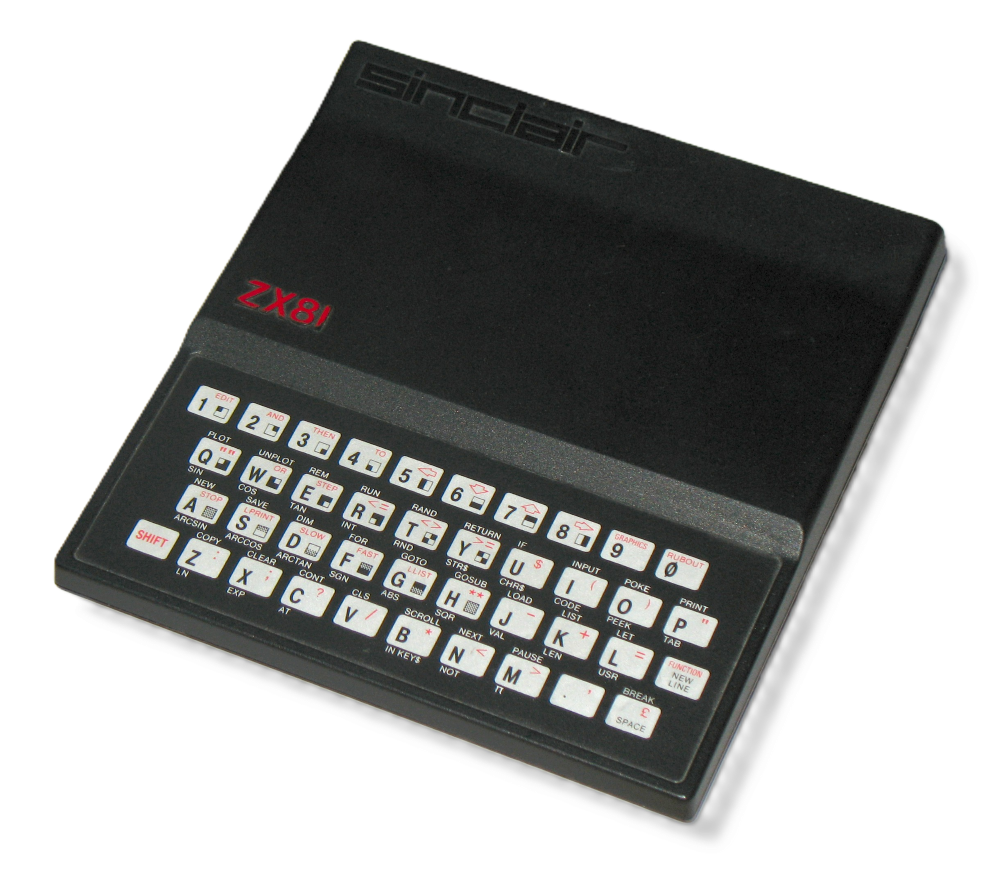
The computer itself looked very similar to the ZX80 but featured a redesigned case and keyboard. On the left-hand side were the power and cassette connections, while the rear housed the expansion connector used for memory upgrades and peripherals.
One item that particularly stood out was the manual.
Sinclair ZX81 BASIC Programming
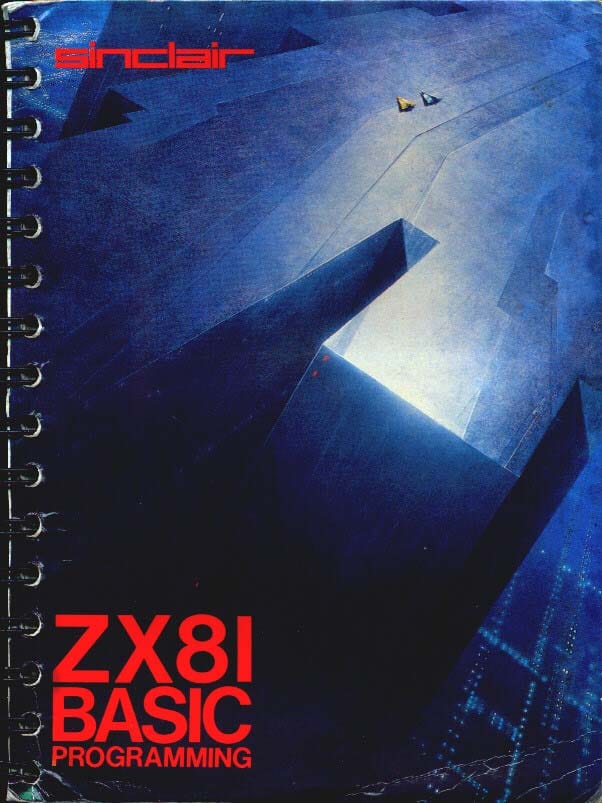
The manual was written by Steven Vickers, the designer of Sinclair BASIC, and was remarkably comprehensive for a beginner's computer guide.
My copy was:
Second Edition – 1981
Copyright 1980 Sinclair Research Limited
The front cover featured an illustration by science-fiction artist John Harris, specially commissioned by Sinclair Research.
Fancy.
Unlike many computer manuals of the time, it didn't simply explain the commands. It actively taught programming through examples and projects. For many ZX81 owners, it became their first real introduction to computer programming.
A Much Better Experience
I found using the ZX81 far better than using the ZX80.
The biggest improvement was the display. Without the constant flickering, it was much easier to type commands and enter BASIC programs. Since Sinclair BASIC was largely unchanged from the ZX80, I was up and running very quickly.
I never did learn to type properly and, even today, I still mainly type using two fingers.
Like many ZX81 owners, I spent countless hours typing in programs from books and magazines. Entire evenings could disappear entering pages and pages of BASIC code, only to discover a typing mistake somewhere in line 237.
Finding the error could often take longer than typing the program in the first place.
The Essential Upgrade: 16K RAM Pack
The ZX81 came with just 1 KB of RAM as standard. While enough for simple programs, it quickly became restrictive.
Sinclair's solution was the famous 16K RAM Pack.
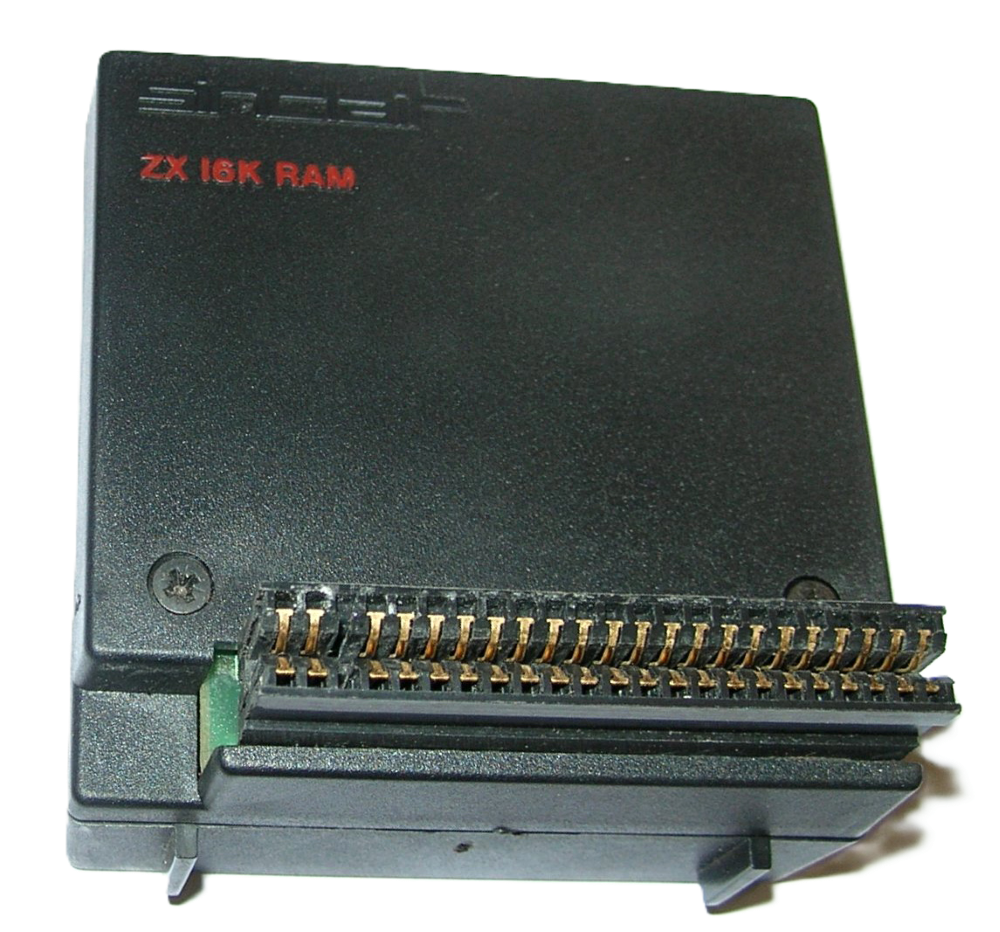
The advertisements described it as:
"16K-byte RAM pack for massive add-on memory."
The unit plugged directly into the expansion connector at the rear of the computer and increased available memory from 1 KB to 16 KB — a sixteen-fold increase.
Shortly after buying the ZX81, I upgraded mine with the RAM Pack. I have a vague memory of buying it from Dixons for around £50, although I can't be completely certain.
Whatever it cost, it transformed the machine.
Suddenly there was enough memory for much larger programs, more sophisticated games, and software that simply wouldn't run on an unexpanded ZX81.
I remember spending many hours typing in listings and experimenting with programs, although I honestly can't remember exactly which games or software I owned. I also have no memory of buying software on cassette, yet I must have done because I vividly remember the loading process.
Waiting for the Screeching
Anyone who owned a ZX81 will remember the sound.
Programs were stored on ordinary cassette tapes and loaded through a cassette recorder connected to the computer. Loading involved several minutes of electronic screeching, buzzing and squealing noises while data slowly transferred into memory.
The worst part was the waiting.
You would sit there for several minutes watching the screen, hoping everything was working correctly.
Then, just when you thought success was near, the loading would fail.
Perhaps the volume was slightly wrong.
Perhaps a cable wasn't making good contact.
Perhaps the tape itself had a fault.
Whatever the reason, the result was usually the same: start again and wait another few minutes.
It was frustrating then, but somehow it was all part of the experience.
The Wobble of Death
The ZX81 had one infamous flaw.
The 16K RAM Pack was a fairly large and surprisingly heavy module that plugged directly into the expansion connector at the rear of the machine.
Unfortunately, the connection wasn't particularly secure.
Over time the RAM Pack could work loose. A slight knock to the table, moving the computer, or even touching the expansion pack could interrupt the connection.
When that happened, the computer would instantly crash.
Many ZX81 owners referred to this as the "RAM Pack wobble" and it became one of the machine's most notorious characteristics.
I certainly remember experiencing it myself.
The ZX Printer
Sinclair also offered a small thermal printer for the ZX81.
I didn't own one but I would have liked to have one.
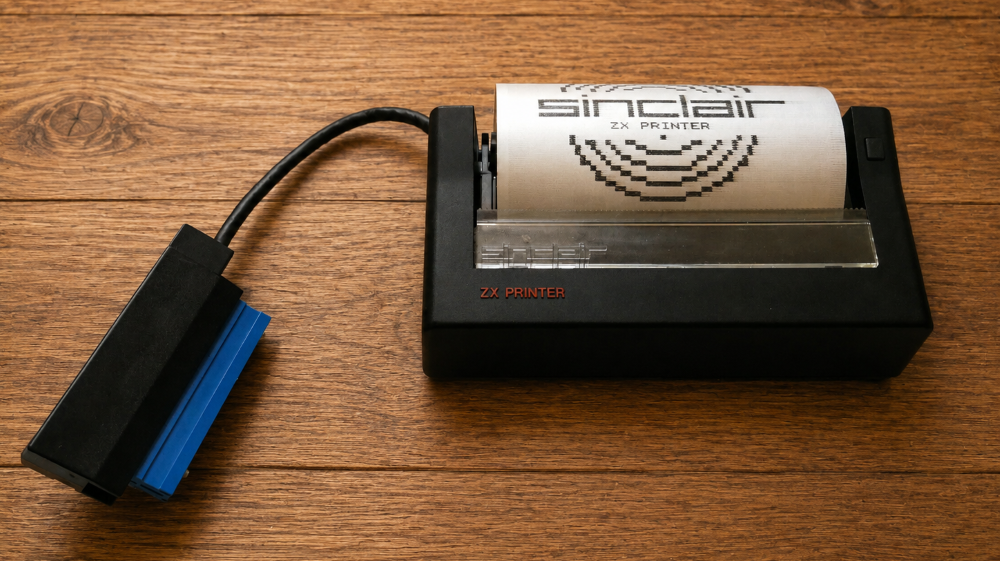
The printer used rolls of special aluminium-coated paper and produced shiny silver printouts. Although it looked futuristic at the time, the printouts faded badly over the years and were often difficult to preserve.
It was another accessory I admired in the adverts but never actually purchased.
Whatever Happened to It?
Like so much technology from my younger years, the ZX81 eventually disappeared.
I have absolutely no idea where it went, when I got rid of it, or what happened to the RAM Pack.
At the time it was simply yesterday's technology, replaced by newer and more exciting machines. Nobody imagined that decades later these little computers would become collectable pieces of British computing history.
And yet, despite owning both the ZX80 and the ZX81, the next chapter in my computing journey wasn't what most people would expect.
You would think after the ZX80 and the ZX81 I would get a ZX Spectrum.
You would be wrong.