
My First PC and the Windows 95 Years
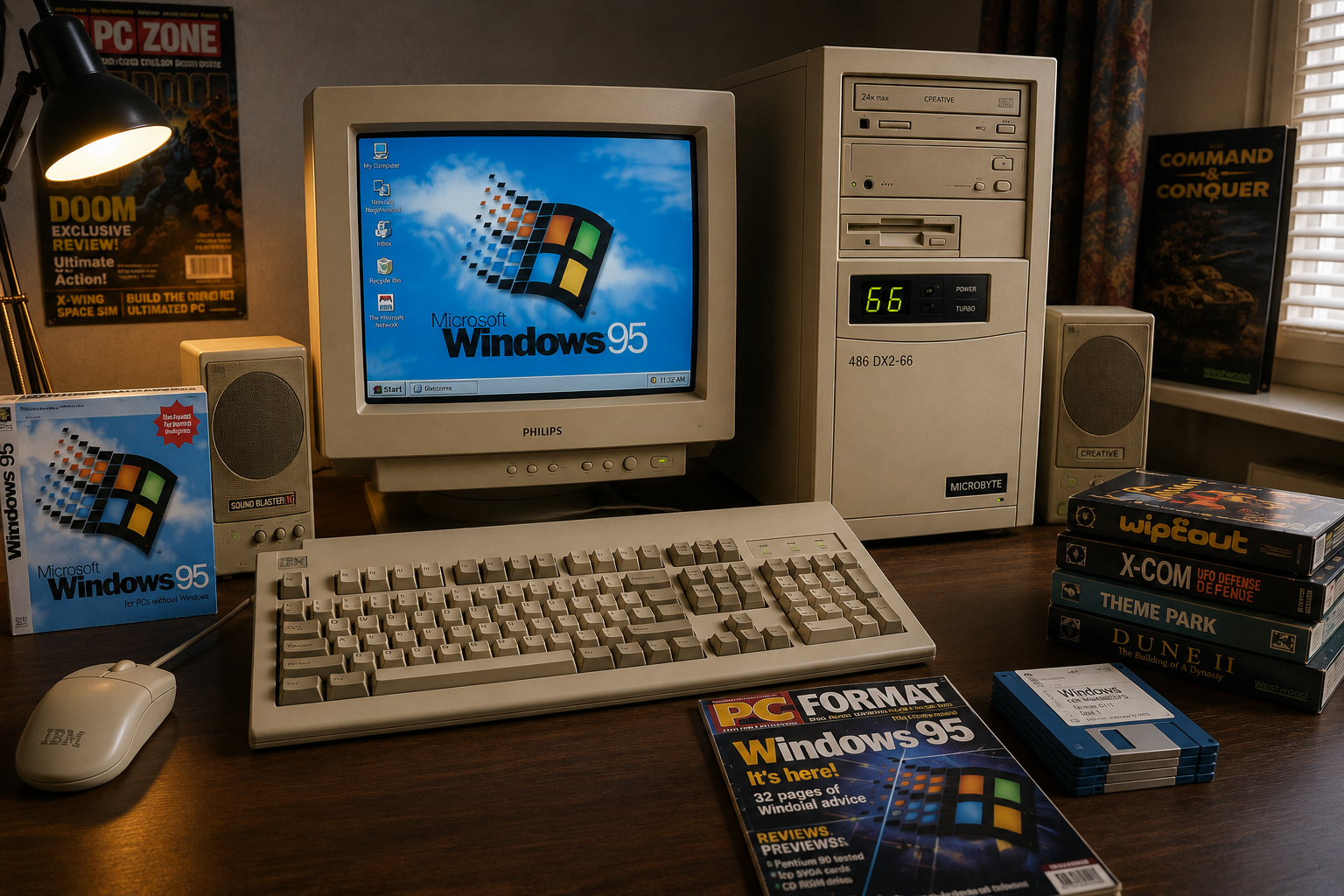
Buying my first PC in the mid-1990s opened the door to Windows 3.11, Windows 95, PC gaming, hardware upgrades and troubleshooting. From a 486DX2-66 to Pentium upgrades, it was the start of a lifelong fascination with computers.

First Computer and Upgrades
After years of using home computers such as the Sinclair ZX80, ZX81, Commodore VIC-20 and Amstrad CPC464, I finally decided it was time to buy my first IBM-compatible PC.
Throughout the early 1990s, whenever I visited computer and game shops, I was fascinated by the rows of PC games on display. Unlike the computers I had owned previously, every game box listed a set of minimum and recommended specifications. One game might require a 486 processor, another needed additional memory, while some required a CD-ROM drive. The idea that the same game could run perfectly on one computer and not at all on another was completely new to me.
The more I read, the more interested I became.
Eventually, I decided it was time to take the plunge and buy a computer of my own.
Buying My First PC
I purchased the machine from Microbyte, one of the well-known computer retailers of the time. I don't remember the exact specification, but I do remember spending around £1,600, which was a considerable amount of money in the mid-1990s.
One thing I knew for certain was that I wanted a tower case. Most business computers seemed to use desktop-style cases that sat underneath the monitor, but I preferred the look of a tower. To me it felt more modern and somehow more powerful.
I also knew I wanted a few specific components.
A CD-ROM drive was essential. Magazine cover discs were becoming increasingly common, and many of the latest games were beginning to appear on CD rather than floppy disks.
I wanted a Sound Blaster sound card because every magazine seemed to recommend one, and many games specifically listed Sound Blaster compatibility.
The machine itself was probably based around an Intel 486DX2-66 processor, which at the time was a powerful and popular choice. It also came with a 3.5-inch floppy drive, SVGA monitor, speakers, keyboard and mouse.
One thing I remember clearly was seeing the term "motherboard" for the first time. Until then I had never really considered how all the different components connected together. Like many first-time buyers, I simply wanted a computer that would run Windows and play games.
The finished system looked impressive sitting on my desk. It was a classic beige tower with a two-digit LED display on the front panel that showed the processor speed. At the time I thought it looked incredibly futuristic.
There was only one small problem when I collected it.
The speakers supplied were not the larger set I had ordered. Fortunately the shop quickly corrected the mistake and I soon had the complete setup at home.
Windows 3.11 and DOS
Although I had bought the computer with Windows 95 in mind, Microsoft's new operating system had not yet been released.
Instead, my PC arrived with MS-DOS and Windows for Workgroups 3.11 installed.
Coming from home computers, I expected to switch the machine on and immediately see the graphical interface. Instead I was greeted by a blinking DOS prompt.
I recognised the cursor instantly. It reminded me of my Sinclair days.
The difference was that this time I had no idea what command I needed to type.
Without the benefit of internet searches, I spent hours reading manuals and experimenting before eventually discovering that Windows had to be started from DOS.
Once I finally launched Windows 3.11, I was fascinated.
Everything seemed new. The Program Manager, File Manager, icons, mouse control and multitasking all felt incredibly advanced compared to the computers I had previously owned.
For the first few weeks I spent every spare moment exploring.
Breaking My First Computer
My enthusiasm quickly got me into trouble.
Within a couple of weeks I managed to change the screen resolution to a setting that my monitor couldn't support.
The screen went blank.
The monitor appeared dead.
I was convinced I had completely destroyed my expensive new computer.
After several hours of panic and experimentation, I eventually discovered that I could reinstall the software from the original floppy disks.
The experience taught me an important lesson.
Computers were not magical devices that worked by themselves. If I wanted to use one properly, I would need to learn how it worked.
That lesson would shape the next several years of my life.
The Arrival of Windows 95
When Windows 95 finally arrived in August 1995, I couldn't wait to upgrade.
I purchased the upgrade version rather than the full version because it was cheaper.
At the time it seemed like a sensible decision.
In hindsight it was probably one of the worst software purchases I ever made.
Every time I broke Windows 95, and I broke it quite often, I first had to reinstall DOS and Windows 3.11 from a pile of floppy disks before I could install Windows 95 again.
What should have been a simple reinstall became an evening-long project.
I became so practised at the process that I could almost perform it from memory.
Friends and family soon began asking for help with their own computers, and before long I had unintentionally become the unofficial technical support person for everyone I knew.
Hard Drive Upgrades and Growing Pains
As software became larger, I quickly started running out of hard drive space.
A new computer shop had opened in Wakefield, so I took my tower there to have a larger 2GB hard drive installed.
The upgrade did not go smoothly.
The machine struggled to recognise the full capacity of the drive, and various BIOS and partitioning issues caused repeated headaches.
Eventually the drive was split into smaller partitions so that everything would work correctly.
At the time I didn't fully understand what was happening behind the scenes, but it was my first real introduction to the limitations and quirks of PC hardware.
Gaming in the Mid-1990s
Gaming on a PC during the mid-1990s was very different from gaming today.
Installing a game could involve feeding a seemingly endless stack of floppy disks into the drive.
Even CD-ROM games often required a fair amount of configuration before they would run correctly.
Many DOS games demanded enough free conventional memory to operate.
This meant editing CONFIG.SYS and AUTOEXEC.BAT files, loading memory managers and constantly experimenting with settings.
Getting sound to work could be equally frustrating.
IRQ numbers, DMA channels and driver conflicts became familiar terms.
Sometimes I spent longer configuring a game than actually playing it.
When everything finally worked, however, the sense of achievement was enormous.
Regular Trips to First Computers
As my confidence grew, I became a regular customer at First Computers in Armley Park Court, Leeds.
More than once I strapped the tower to my motorcycle and rode over for upgrades.
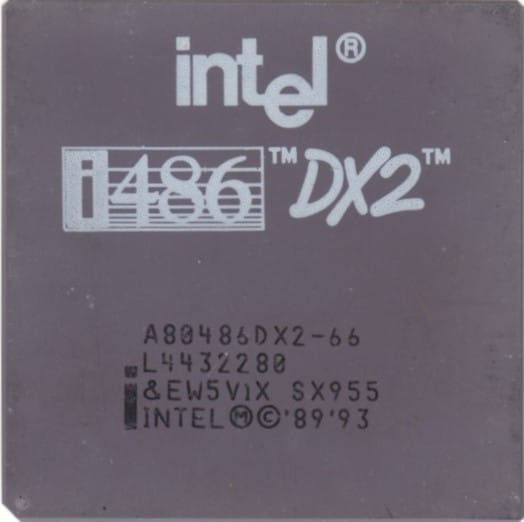
My original 486 eventually gave way to a Pentium 90, and later a Pentium 200 MMX.
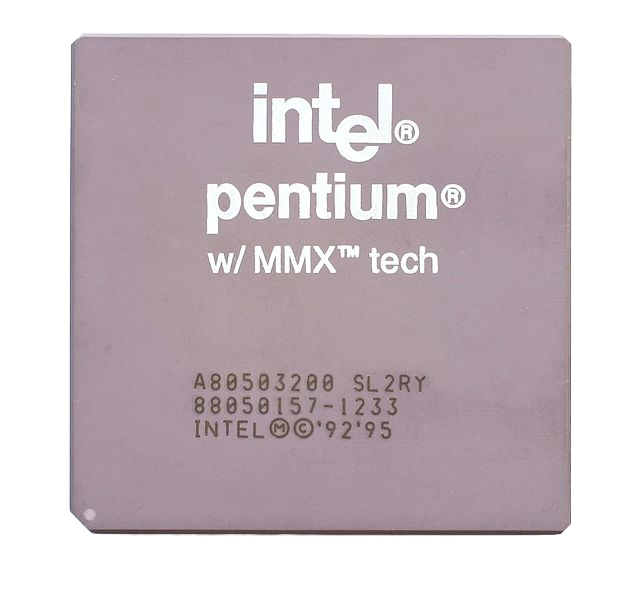
Each upgrade felt like a huge leap forward.
I also experimented with some of the early 3D graphics accelerators.
The first was a PowerVR card.
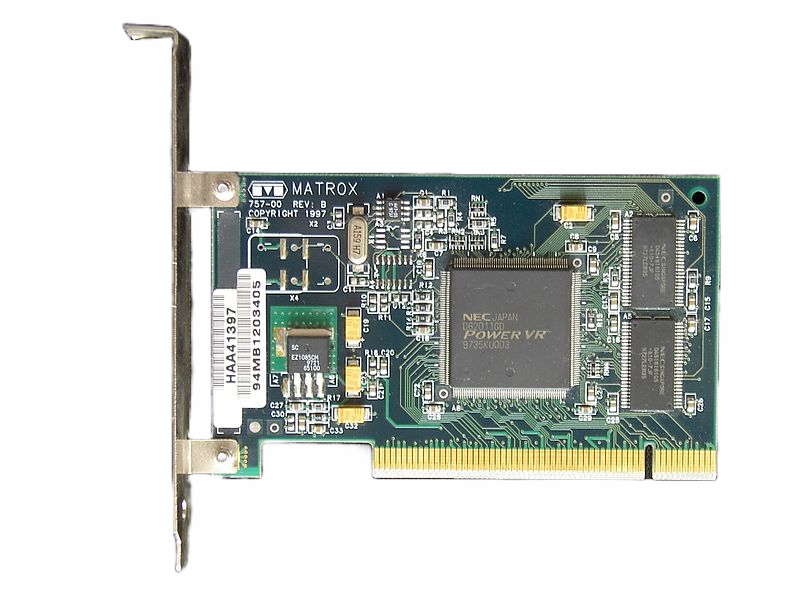
Unfortunately it caused endless problems and resulted in several return visits to the shop.
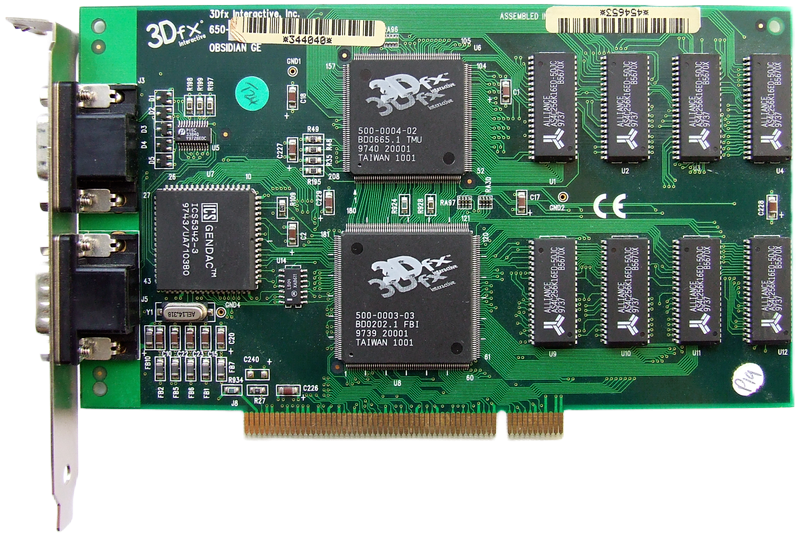
Eventually it was replaced with a 3Dfx graphics card, which transformed gaming performance and proved far more reliable.
Oddly, after one visit I arrived home and discovered that the technicians had left a copy of Wipeout inside my CD-ROM drive.
Learning to Install Hardware
Around this time I purchased a handheld scanner.
Unlike modern USB devices, it required a SCSI interface card to be installed inside the computer.
This was the first piece of internal hardware I fitted myself.
I was nervous about opening the computer, but the installation turned out to be surprisingly straightforward.
The card worked first time.
Looking back, that simple installation was probably the moment I realised that computers weren't nearly as mysterious as they first appeared.
Looking Back
That beige tower represented far more than just a computer.
It was my introduction to DOS, Windows, PC gaming, hardware upgrades and troubleshooting.
It taught me how computers worked, how to solve problems, and perhaps most importantly, how not to be afraid of experimenting.
Many of the skills I still use today can be traced back to that first machine.
It’s hard to believe I used to pay for someone at the shop to install components and even drivers. At the time, it seemed like a reasonable expense, but now it feels a bit like madness considering how much I’ve learned and how easy it would be to handle those tasks myself.
I don't remember exactly what eventually happened to it. Like most computers, it was eventually replaced by something newer and faster.
What I do remember is the excitement of switching it on for the first time and discovering a completely new world of technology.
That first PC wasn't just another computer.
It was the machine that turned me from a user into an enthusiast.